Free Online VFX Editor: Cinematic Product Image Effects in the Browser
8 min read
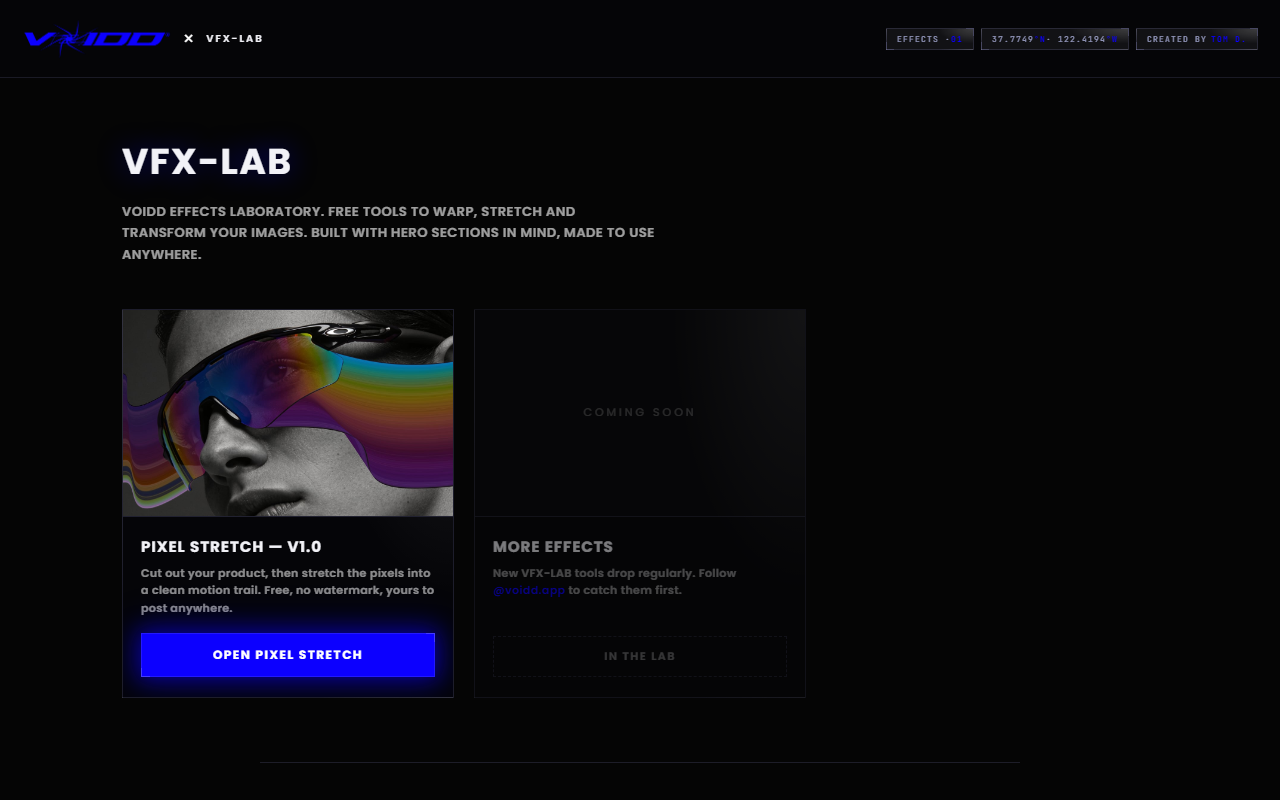
A free online VFX editor is a tool that adds visual effects to an image inside a browser tab, with no software to install and no watermark on the result. VFX-LAB from VOIDD is one: drop in a product photo, pick an effect, adjust a few sliders, export a full-resolution PNG. Nothing to download, no account to make.
That is the direct answer to the search. The rest of this guide explains what an online VFX editor is good for, what it is not, which effects are worth your time, and how to tell a free tool from a demo wearing a free label.
What is an online VFX editor?
An online VFX editor is a visual-effects tool delivered as a web page. Instead of a desktop suite, the processing runs in your browser using the canvas and WebGL APIs your browser already ships with. You open a URL, load an image, apply effects, and download the output. Nothing is installed.
The word "VFX" pulls in a lot of expectations from film. Explosions, green screens, tracked 3D objects. Browser editors are not that, and any page claiming otherwise is selling something. What they do well is the still image: compositing a single effect onto a single photo with enough control to make it look intentional.
That narrower scope is a feature. A product photo, a thumbnail, an ad creative, a hero image for a store. Those are the assets most people actually need, and they are exactly the assets desktop VFX suites are overkill for.
Why use a free online VFX editor instead of downloading software?
Because the cost of the effect drops to nearly zero. No 2GB installer, no GPU requirement, no license key, no account. A browser editor opens in seconds on the laptop you already own, and for a single-image job that is the whole difference between doing it and not doing it.
Desktop tools still win for video. Blender, DaVinci Resolve and Natron are free and enormously capable, and if you are compositing footage you should learn one of them. But most people searching for a free online VFX editor are not compositing footage. They want one photo to look cinematic before it goes on a product page or a social post.
The VFX-LAB tools were built for that exact job. VOIDD makes animated Shopify hero sections, and the free image tools are the front door to that studio. Because the paid product is elsewhere, the editors have no reason to cripple the export. Full resolution out, no strings. The free VFX software guide goes further into where browser tools stop and desktop software starts.
Which effects can you make in a browser VFX editor?
The high-value effects for still product images fall into four groups: motion trails that make a static object read as moving, machine-vision overlays that make a photo look scanned and analysed, material transforms that rebuild a photo in another medium, and composition guides that frame a shot the way a cinematographer would.
Each of those exists as a separate tool in VFX-LAB, and each one does a single thing with real depth rather than fifty things badly. That is a deliberate design choice. The most common failure in free effect tools is a wall of filters, each one a preset with no control, and the output looks like every other filtered image on the internet.
Here is what each tool produces and when to reach for it.
How do you add a motion trail to a product photo online?
Open the free Pixel Stretch editor, drop in a product photo, and let the built-in cutout lift the subject out of its background. Drag a stretch band away from the direction of implied travel and the trailing pixels read as speed while the product stays sharp. Export at full size. About two minutes, start to finish.
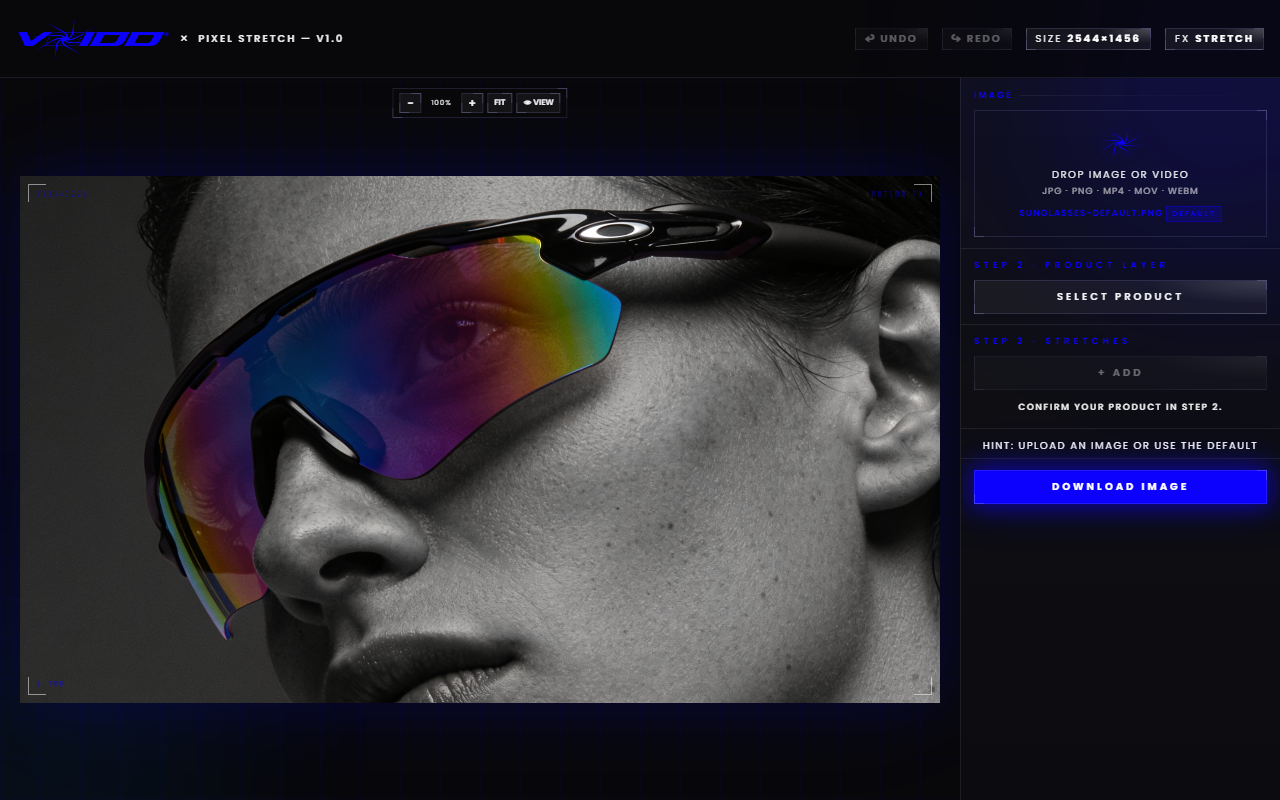
The effect works because your eye already knows the rule from long-exposure photography. Sharp subject, directional streak, motion. Three things keep it believable:
- The trail goes behind, never ahead. A leading streak reads as a smear.
- Trail length is velocity. A third of the subject's width says drift. Double it and the object is falling.
- One trail direction per image. Two streaks pulling opposite ways cancel each other out.
Every stretch band sits on its own layer, and only the active band responds to input, so tuning one trail never disturbs another. This is the tool to use for sneakers, bottles, anything you want to look like it was caught mid-flight. The motion trail effect tool guide covers length, direction and placement in detail.
The detection HUD overlay: a scanned, engineered look
A detection overlay makes a photo look like a machine-vision system has locked onto it: feature markers on key points, coordinate readouts, connection lines, a targeting reticle. The Cross Fade editor draws all of that over any image in the browser, free and without a watermark.
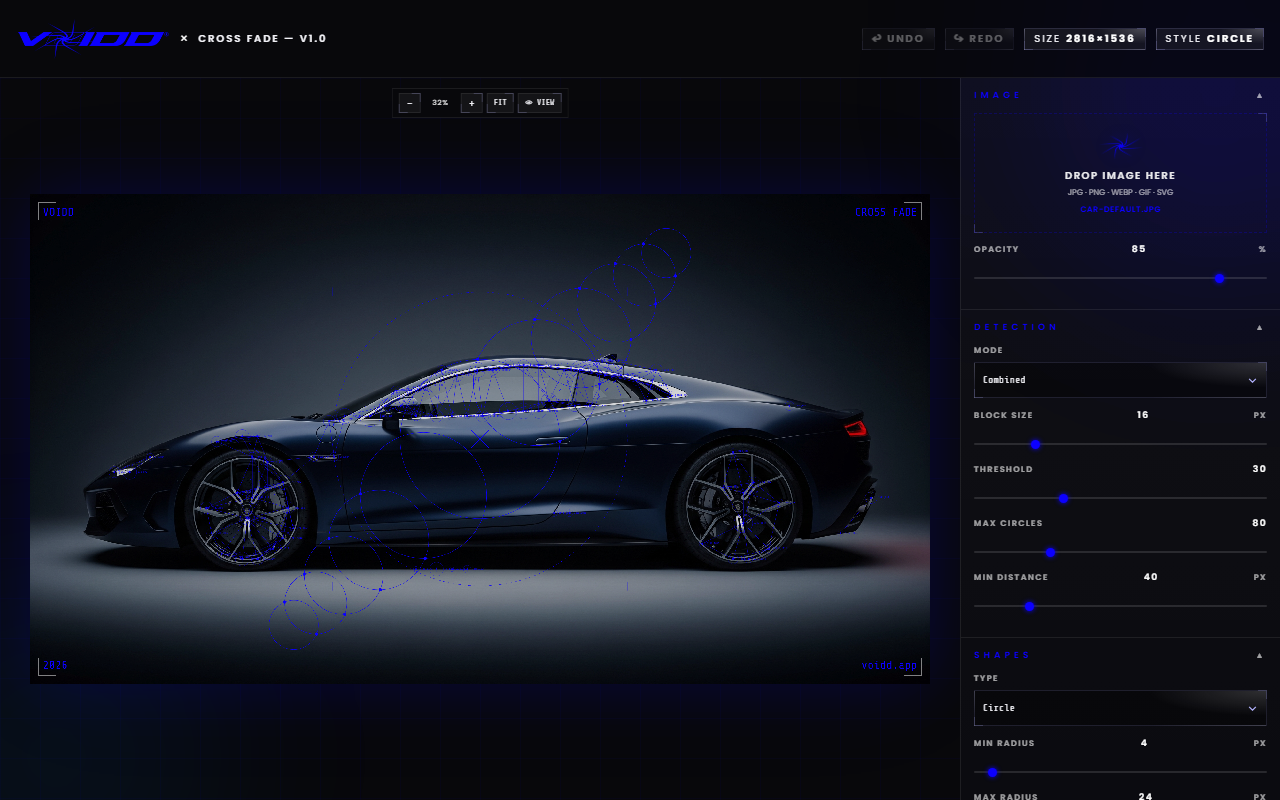
This look shows up constantly in tech launches, sportswear campaigns and sci-fi film marketing, and it is almost always built by hand in After Effects. Cross Fade automates the geometry and leaves the styling to you. It suits products with a technical story, performance gear, hardware, anything where "engineered" is the message.
Use it sparingly. One detection frame on a hero image is striking. Six of them across a product grid is noise.
Can an online editor turn a photo into a brick mosaic?
Yes. Brick Me rebuilds any photo out of studded toy bricks with real plastic shading and a build-in animation, entirely in the browser. It is a material transform rather than a filter: the image is reconstructed brick by brick, so the studs catch light and cast shadow like a physical build.
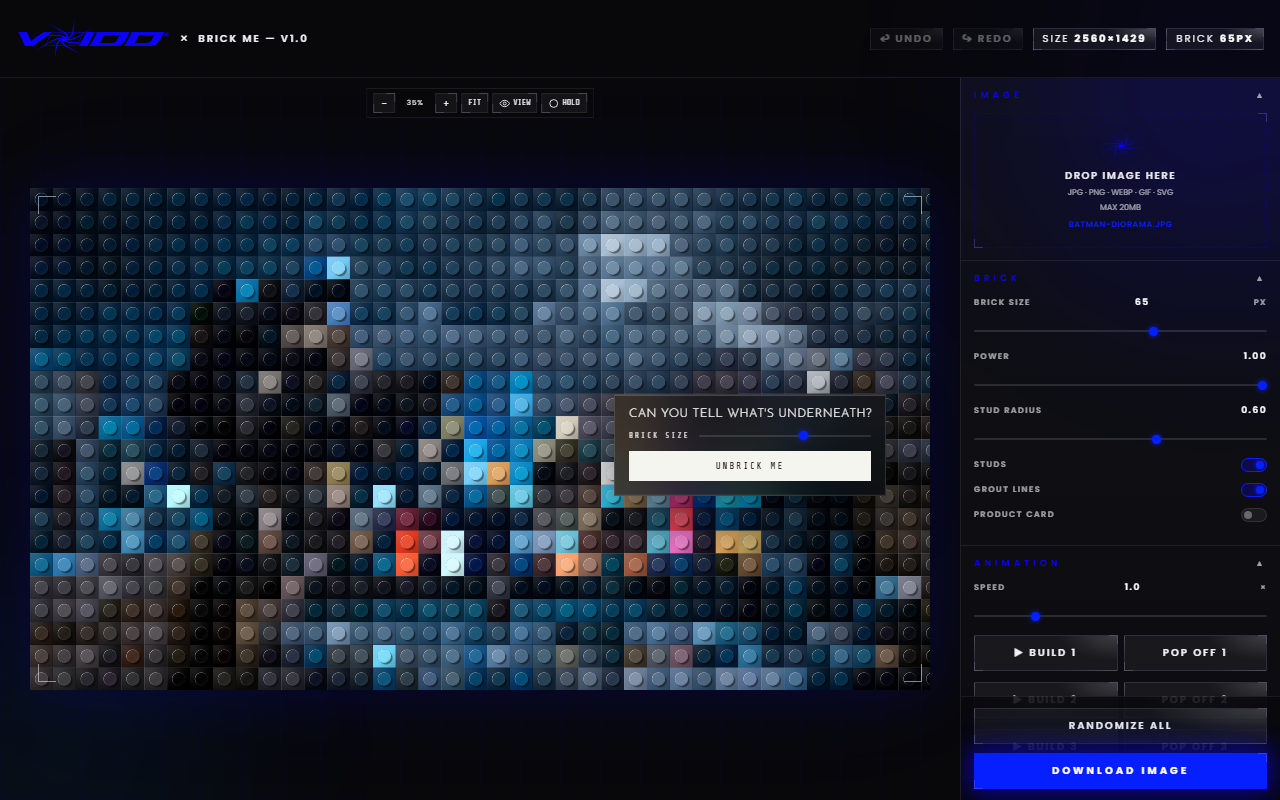
This one is playful by nature, which makes it a strong fit for collectibles, toys, kids' brands and any campaign that wants a double-take. It also works as a reveal. Post the brick version first, the real product second, and the comparison does the marketing for you.
Framing comes first: the golden ratio step
Composition is the effect nobody notices and everybody feels. The free Golden Ratio builder overlays a Fibonacci spiral and phi grid on your image so you can crop the product onto the proportions that painters and cinematographers have used for centuries. Nudge the crop until the subject sits on the spiral's eye, export, done.
Run this step before any of the effects above. A motion trail on a badly framed photo is a well-lit mistake. A motion trail on a photo that already sits on the golden ratio looks like a frame from a film, and the reason is invisible to the viewer, which is the point.
How do you tell a real free VFX editor from a demo?
A real free VFX editor passes three tests: no watermark on the export, no cap on output resolution, and no trial clock or paid plan standing between you and the download. Most tools marketed as free fail at least one of them, usually the first two. Run the checks before you invest any time:
- Watermark. Export a test image. If a logo appears on it, the tool is not free.
- Resolution cap. Compare the exported pixel dimensions to your source. A "free" 720px export from a 4000px photo is a demo.
- Trial clock. A tool that stops working after seven days, or asks for a plan at the download button, was never free.
VFX-LAB passes all three by design: no watermark, full-resolution export, no timer, no plan. The tools are free because they exist to introduce people to VOIDD's Shopify sections, not to convert them into a subscription.
Start with the motion trail
Start with Pixel Stretch. It has the clearest before-and-after, it fixes the single most common problem with product photography (everything looks static), and the result works on every channel from a Shopify hero to an Instagram story. Once one motion trail lands, try Cross Fade on a technical product and Brick Me on a playful one.
One effect per image. Frame it first. Export at full size. That is the whole method, and a browser tab is all it takes.
FAQ
What is a free online VFX editor? A free online VFX editor is a browser-based tool that applies visual effects to images without installing software, charging at export, or watermarking the output. VOIDD's VFX-LAB is one example, with separate editors for motion trails, detection overlays, brick mosaics and golden-ratio composition.
Do I need to download anything to use an online VFX editor? No. VFX-LAB runs entirely in a web browser on desktop and mobile. There is no installer, no plugin and no account. Open the page, load an image, apply the effect, download the result.
Is the exported image watermarked or reduced in size? No. Every VFX-LAB tool exports a clean, full-resolution PNG with no watermark and no signup. The export is yours to use on a store, in ads, on social media or anywhere else.
Can a browser VFX editor edit video? Not in this class of tool. Browser VFX editors like VFX-LAB work on still images; Pixel Stretch will accept a video clip as its source, but the result is a still frame with the trail applied. For video compositing, free desktop software such as Blender or DaVinci Resolve is the right choice. For a single product photo that needs to look cinematic, the browser is faster.
Which VFX-LAB tool should I try first? Pixel Stretch. It has the clearest before-and-after on a product photo and the result works everywhere, from a Shopify hero to a social post. Try Cross Fade next for a technical product and Brick Me for a playful one.