
Cinematic Product Photography Effects, Free and in Your Browser
8 min read
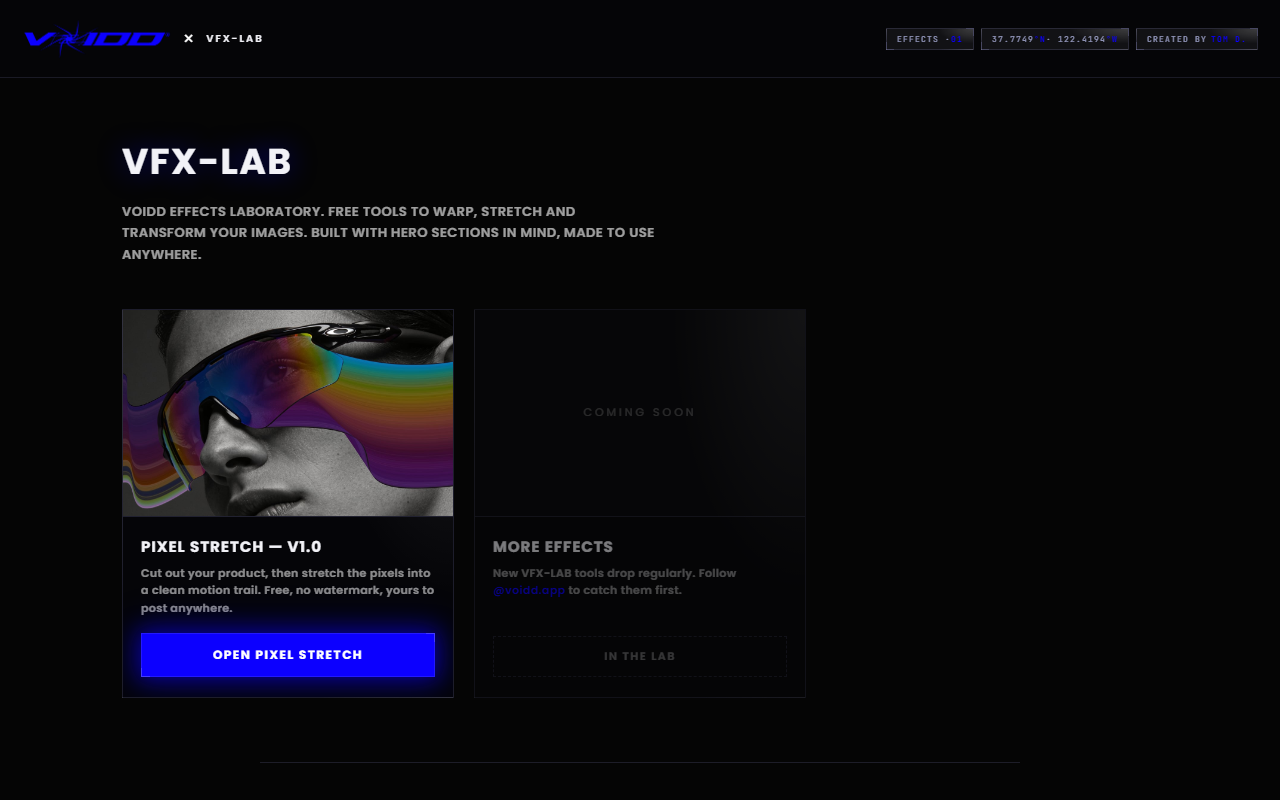
A cinematic product photography effect is anything that makes a still product shot read like a frame from a film: implied motion, deliberate composition, dramatic contrast. You can get all three for free in a browser with VFX-LAB, a set of no-watermark, no-signup tools. No Photoshop subscription, no plugin, about two minutes per image.
That is the short answer. The rest of this guide breaks the "cinematic" look into its actual ingredients, shows the free workflow for each one, and finishes with how to carry the same look onto your Shopify store as an animated hero.
What makes a product photo look cinematic?
Cinematic product photos borrow three things from film: motion, framing, and mood. Motion means the product looks captured mid-action rather than posed. Framing means the composition follows deliberate proportions instead of dead-center placement. Mood means contrast and color that suggest a scene, not a catalog. Nail two of the three and the photo stops looking like inventory.
Think about the last movie poster that stopped you. The hero object was almost never centered and static. It was falling, streaking, or placed off-axis with negative space doing the talking. Product photography that converts borrows exactly this vocabulary, because the human eye has been trained by a century of cinema to treat those cues as "important thing happening here."
The good news for anyone without a studio budget: two of the three ingredients, motion and framing, are pure post-production. You can add them to a phone photo after the fact. The third, mood, is mostly a lighting habit you build at capture time, and there are cheats for that too.
Can you get a cinematic effect for free, without Photoshop?
Yes. The free tools in VFX-LAB run entirely in your browser: a pixel-stretch motion trail builder, a golden-ratio composition tool, and a cross-fade builder. Exports are full resolution with no watermark and no signup. Nothing uploads to a server for editing, so your product shots stay on your machine.
This matters more than it sounds. Most "free" photo effect sites gate the export behind an account, stamp a watermark across the corner, or cap the resolution until you pay. A watermarked product photo is unusable on a store, so the free tier is effectively a demo. The VFX-LAB tools were built by a Shopify section studio as a genuine free layer: the paid product is the animated storefront sections, so the image tools have no reason to hold your export hostage.
Photoshop can obviously do everything these tools do. But for a merchant who needs one effect on twenty product photos, learning smart objects and layer masks is a week of detours. A single-purpose tool that does the one cinematic trick well is faster, and free beats a subscription you use twice a month.
How do you add cinematic motion to a product photo?
Use a pixel-stretch motion trail. Open the free Pixel Stretch builder, drop in your photo, let the built-in AI select the product, then drag a stretch layer in the direction opposite the implied movement. The smeared pixels read as speed while the product itself stays tack sharp. Export the PNG and you are done.
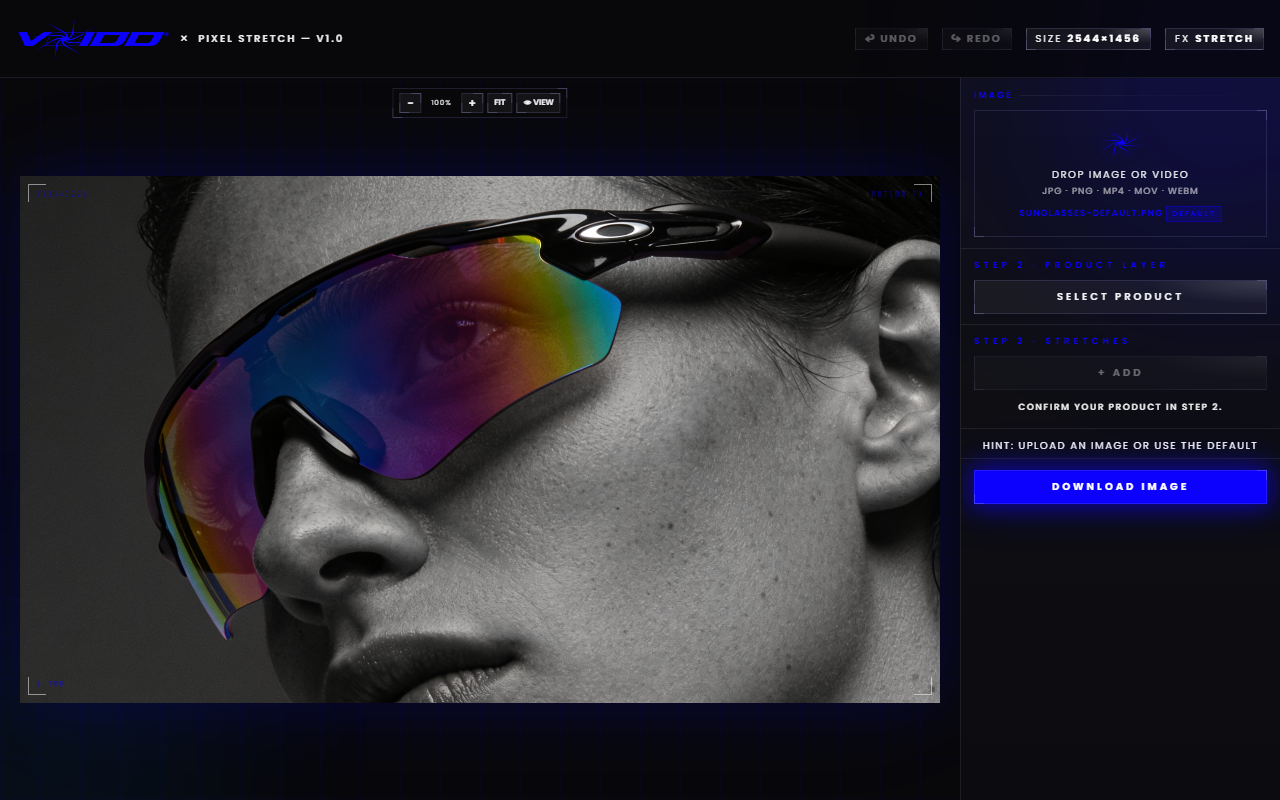
The reason this single effect carries so much cinematic weight is long-exposure memory. Your brain has filed thousands of images of light trails, sprinters, and waterfalls, all sharing one pattern: a sharp subject with a directional streak. Reproduce the pattern and the brain concludes "captured in motion" even though your cologne bottle never left the desk.
A few craft notes from doing this on real product shots:
- Direction tells the story. A trail streaming off the left edge means the product is flying right. A trail rising off the top means it is falling. Pick the story first, then place the stretch.
- Length sets the speed. A trail around a third of the product's width reads as drift. Double that and it reads as a drop from orbit. Most shots want something in between.
- Stack two trails for tumble. Two stretches at slightly different angles suggest rotation, which feels more organic than a single straight streak.
- Keep the trail off the detail. For jewelry and watches, where the sell is craftsmanship, use short trails that never smear across the face of the product.
Each stretch lives on its own layer and only the active layer responds to input, so you can tune one trail without disturbing the product or the other layers.
Why does composition matter as much as the effect?
Because a motion trail on a dead-centered product still looks like a catalog shot with a filter. Film frames place subjects on proportional lines, most famously the golden ratio, and the off-axis placement is half of what registers as "cinematic." Recomposing the crop takes thirty seconds and costs nothing.
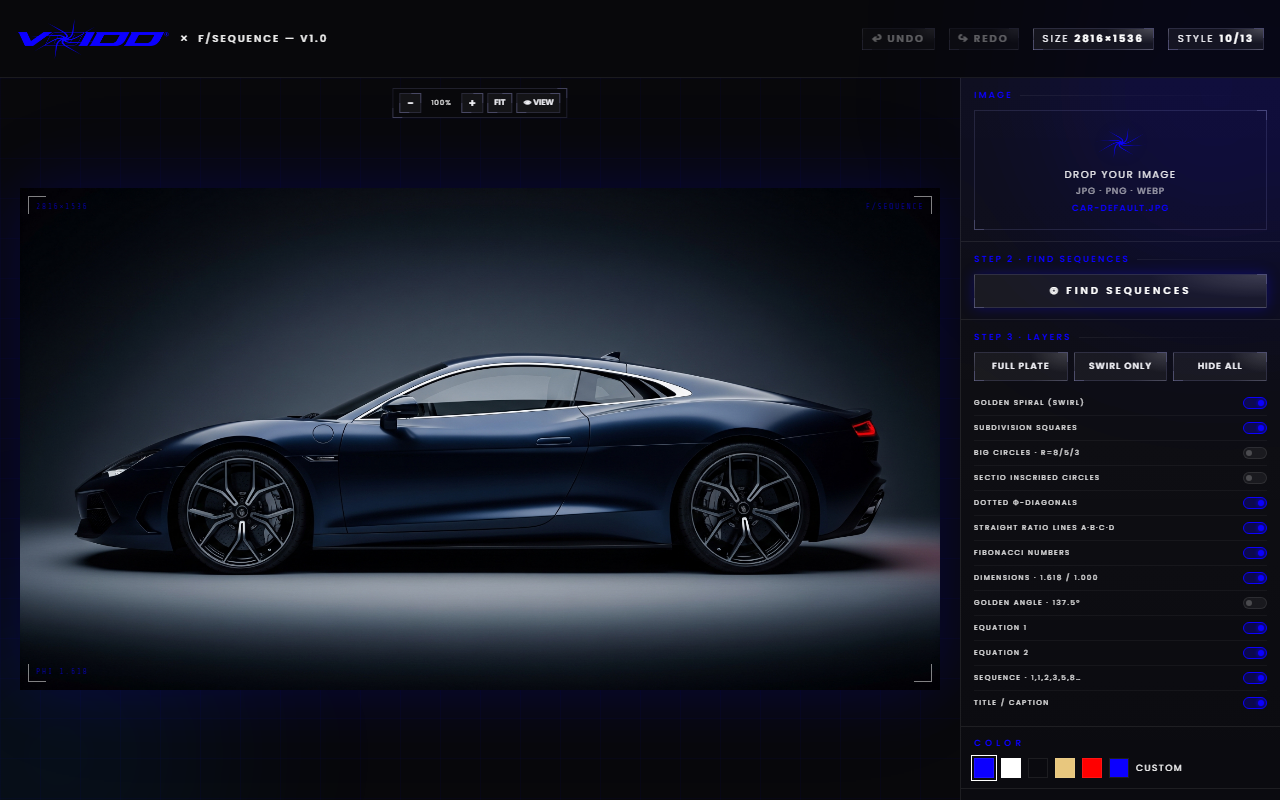
The free Golden Ratio tool overlays a fibonacci spiral and phi grid on your image so you can drag the crop until the product sits where a cinematographer would put it. The usual recipe for product shots: the product's focal point (the logo, the cap, the clasp) lands on the spiral's eye, and the motion trail flows along the spiral's curve into the negative space. Trail plus placement is the combination; either one alone is a half-measure.
If you shot the photo with generous margins, you have room to recompose after the fact. This is the single cheapest habit upgrade in product photography: always shoot wider than the final crop, because composition is free to fix later only if the pixels exist.
Which lighting and color habits sell the film look?
Shoot with one dominant light source and let the shadows stay dark. Flat, even lighting is catalog language; a single hard key with deep falloff is film language. Then keep the color palette narrow: one accent hue against a neutral field reads as graded, the way a colorist would treat a movie frame.
You do not need gear for this. A window with the room lights off is a key light. A desk lamp through a white t-shirt is a softbox. What kills the cinematic read is mixing sources, because competing shadows flatten the drama.
At the edit stage, resist the urge to lift the shadows. The dark areas are doing compositional work: they frame the product, hide the clutter, and give the motion trail contrast to streak across. A trail over a busy bright background disappears; the same trail over falloff shadow looks like a poster.
How do you carry the cinematic look onto your store?
A cinematic photo earns the click; a cinematic storefront closes it. The same studio behind these free tools builds animated Shopify hero sections where the product reveal, the lighting, and the motion are live on the page instead of baked into a JPEG. Browse the section catalog from the VOIDD home page.
The logic of the pipeline is worth spelling out. Feeds and ads are where the stretched, dramatically framed still does its job: it stops the scroll. But when the shopper lands on a store whose hero is a static banner, the energy dies at the door. An animated hero section continues the film. The product floats in, the light moves, the scene reacts to the cursor. Merchants install the section, pick their products in the theme editor, and the cinematography is handled. No code needed.
Whether you use VOIDD's sections or build your own, the principle holds: treat the ad image and the landing hero as two shots from the same movie. Same palette, same mood, same implied motion. Continuity is a conversion tool.
What are the common mistakes that break the effect?
The failures are consistent enough to list. Every one of these is fixable in under a minute:
- Trail in the wrong direction. The streak must trail behind the implied movement, never lead it. Leading streaks read as a smudge, not speed.
- Effect on a centered subject. Recompose first. Center placement neutralizes the drama the trail is trying to create.
- Too many effects at once. A trail plus heavy vignette plus lens flare plus grain is a slot machine, not a film frame. Pick one hero effect per image.
- Smearing the sell. If the product's value is surface detail, keep trails short and away from the detail zone.
- Bright busy backgrounds. Streaks need contrast. Shoot or crop for negative space where the trail will live.
FAQ
Is there a truly free cinematic product photo effect with no watermark? Yes. The VFX-LAB tools export full-resolution PNGs with no watermark, no signup, and no trial clock. The pixel-stretch motion trail is the fastest cinematic effect in the set, and the golden-ratio tool handles film-style composition.
Do I need Photoshop or any install? No. Everything runs in the browser, on your machine. Drop in a photo, apply the effect, download the result. It works on a laptop with nothing installed, and the editing happens locally rather than on a server.
What photo should I start with? A sharp, well-lit shot with generous margins around the product. One dominant light source and a simple background give the motion trail contrast to work against, and the extra margin leaves room to recompose on the golden ratio.
Does a cinematic effect actually help sales? Implied motion and deliberate framing pull attention in feeds and grids, and attention precedes clicks. The effect is strongest for products with an action story, like sneakers, drinks, fragrance, and tech. Pair the image with an animated store hero so the energy carries through to the product page.
Can I get the same look as a live animation on my Shopify store? Yes. VOIDD builds animated SupaHero Sections for Shopify where the cinematic treatment runs live on the page. Install the app, drop the section into your theme, pick your products. No code needed. Start from the VOIDD home page.