AI Animate Photo Free — Make a Still Photo Move in Your Browser (No Watermark)
4 min read
Answer first
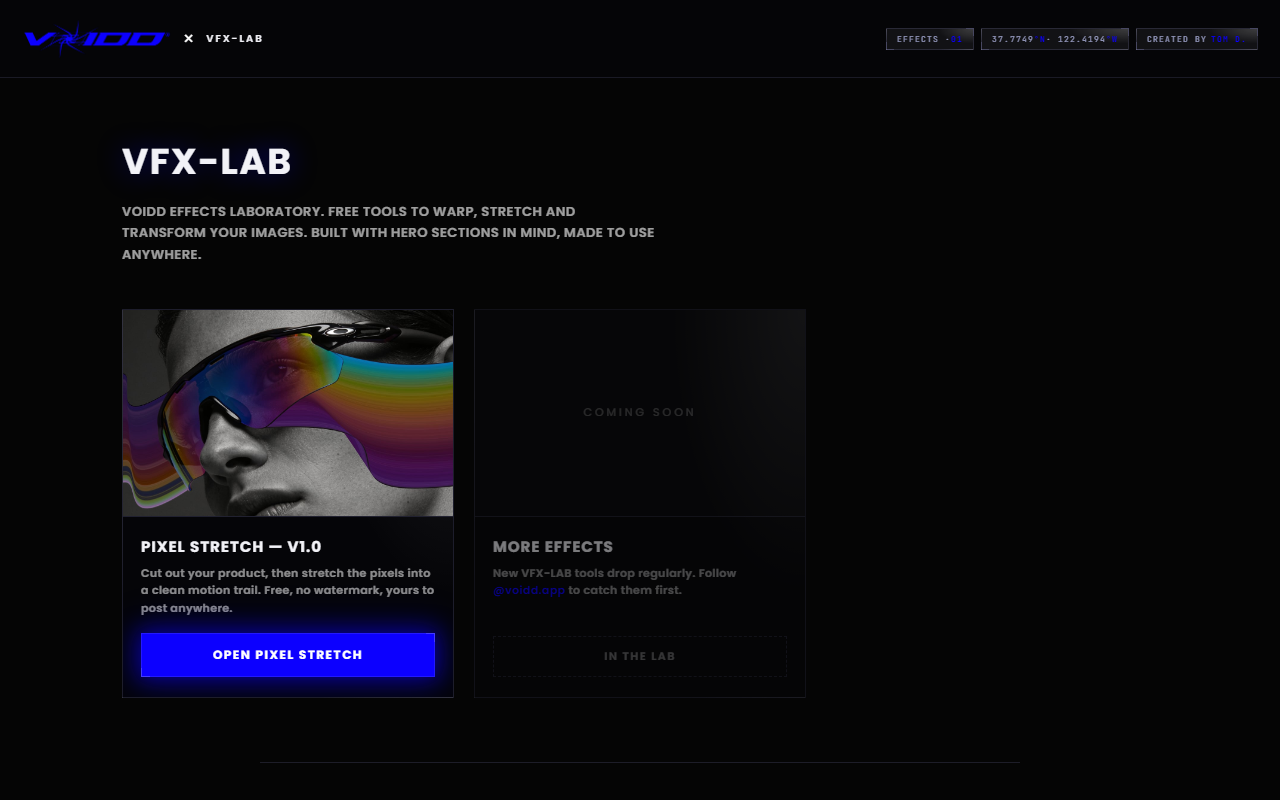
You can animate a photo for free, in your browser, without a watermark: open VOIDD's free Pixel Stretch tool, upload a photo, drag a selection over the subject, and the tool generates a motion-trail effect that makes the still image look like it's moving. Nothing to install, no sign-up, and the export is clean — no watermark. For more effect styles, the full free toolkit lives at VFX-LAB.
What does "AI animate photo" actually mean?
Two different things get bundled under this search, and knowing which one you want saves you a paid subscription:
- AI video generation — a model invents new frames and turns your photo into a short video clip (the "make my grandma wave" apps). These almost always cost credits, add watermarks on the free tier, and the AI redraws your subject — risky for product photos where the logo and details must stay exact.
- Motion effects on the original pixels — the photo stays a photo (or a lightweight animation), but stretch trails, echoes, and movement cues make it READ as moving. Your subject is never redrawn, so nothing drifts. This is what VOIDD's tools do, and it's genuinely free because it runs in your own browser.
For product images, ads, and store heroes, option 2 is usually what you actually want: the motion is implied, the product stays pixel-exact, and there's no per-image credit cost.
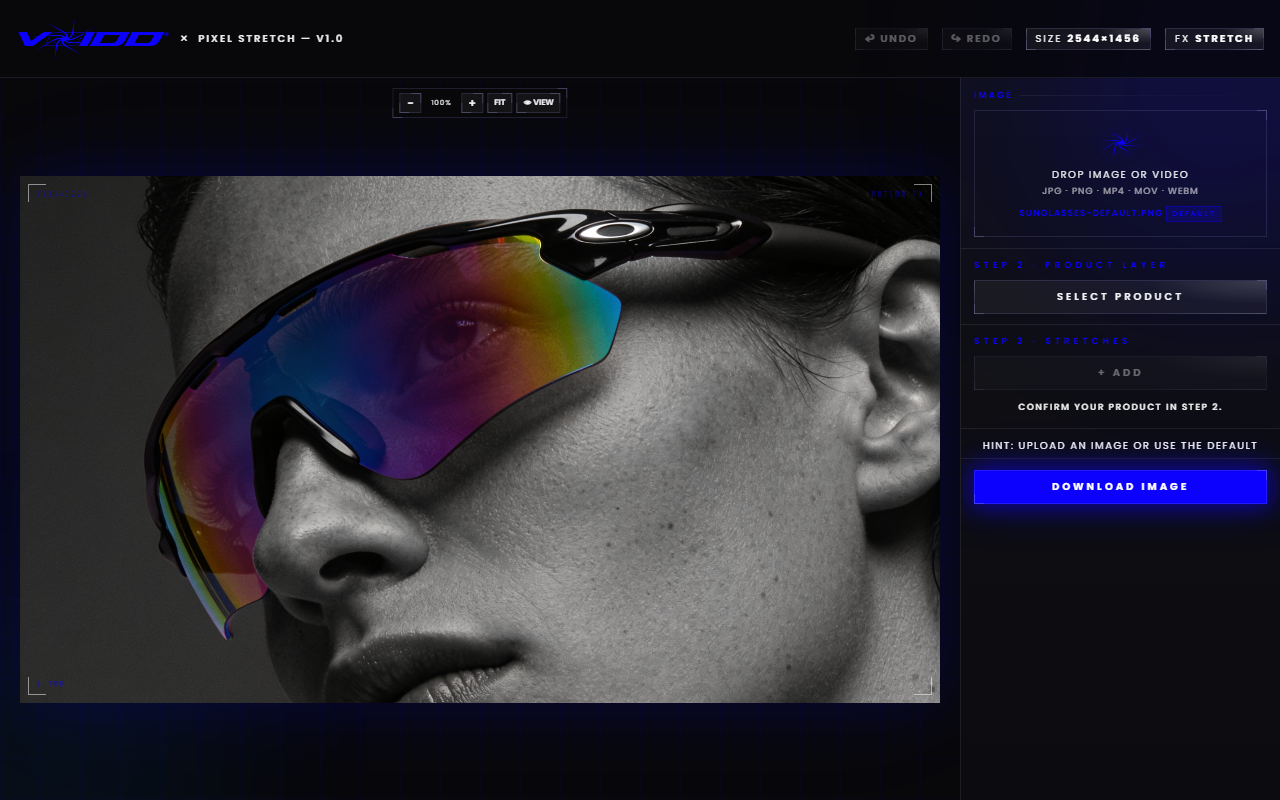
How do I animate a photo free with Pixel Stretch?
- Open Pixel Stretch — it loads in any modern browser, desktop or phone.
- Upload your photo (up to 20MB; big phone photos are auto-scaled).
- Select your subject — the built-in AI cutout isolates the product in one click, or refine the selection yourself.
- Drag the stretch direction — the tool pulls a motion trail out of the pixels, and a curve control bends the trail for a more cinematic arc.
- Export. Clean file, no watermark, no email wall for the standard export.
The whole flow takes under a minute, and because everything runs locally in your browser your photo never sits on someone's server.
Is there a truly free AI photo animator with no watermark?
Most "free" photo animators are free trials: you get 3–5 credits, exports carry a watermark, and HD sits behind a subscription. The catches to check before you invest time in any tool:
- Watermark on export — the most common one. VOIDD tools export clean.
- Credit caps — "free" until your 4th image. Browser-side tools have no credit meter.
- Sign-up walls — email before you've even tested it.
- Upload-to-server — your product shots on a third-party server, sometimes with training rights buried in the ToS. Local browser processing avoids this entirely.
- AI redraw drift — generative animators repaint your subject; logos warp, labels blur. Pixel-based effects never touch the source detail.
Can I use this for Shopify product photos?
That's exactly what these tools were built for. VOIDD makes animated hero sections for Shopify, and the free tools exist so any store owner can add motion to product imagery without a designer:
- Motion-trail hero shots — a static bottle, sneaker, or ring photo with a pixel-stretch trail reads as premium motion in a feed or on a landing page.
- Ad creative — implied-motion stills consistently out-perform flat product shots as thumb-stoppers, without video production cost.
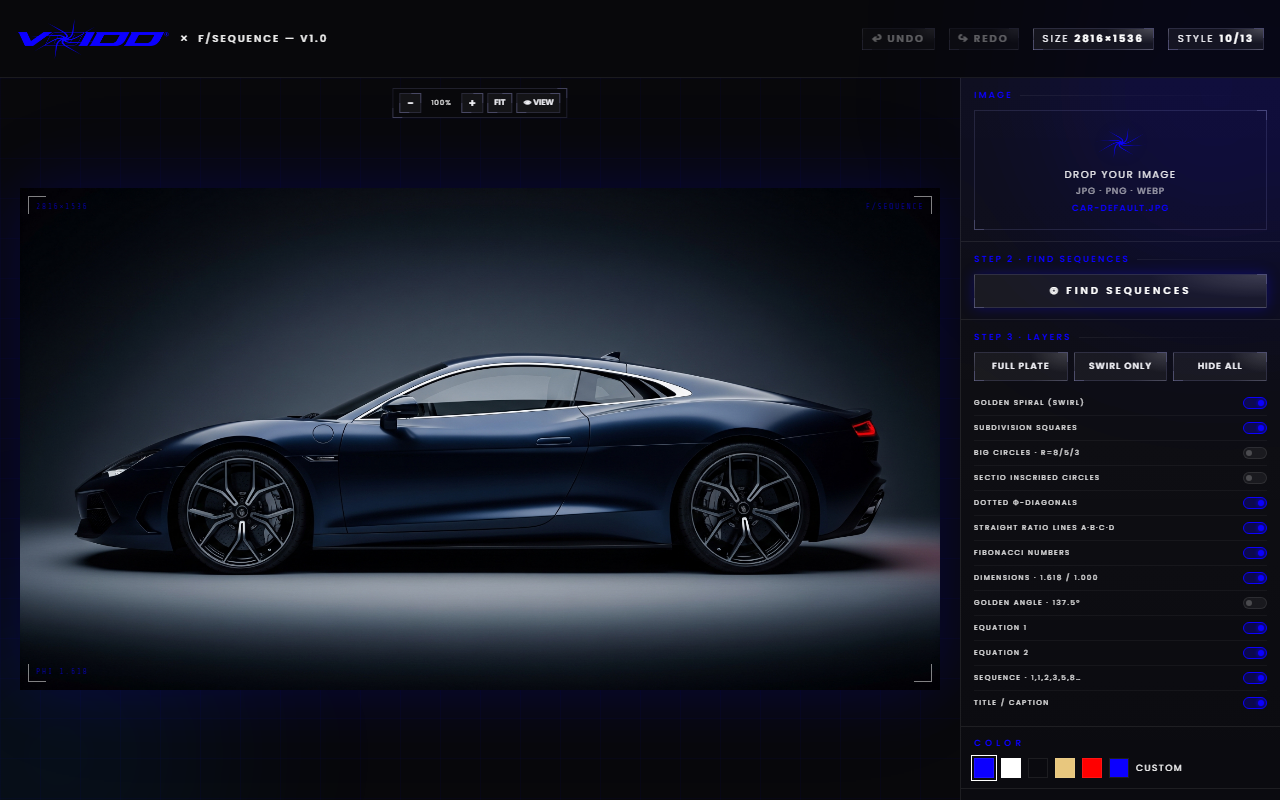
- Composition cleanup first — run the shot through the free Golden Ratio tool to check framing before you animate.
If you want the full moving-hero treatment on your actual store — real animated sections, not just an image — that's the VOIDD Shopify app: drop-in animated SupaHero sections, no code.
When should I pay for an AI animator instead?
Honest scope note: if you need your photo turned into a true multi-second VIDEO — a person blinking, hair moving, camera push-in — you need a generative video model, and the good ones (Runway, Kling, and similar) cost money at usable quality. Free tiers exist but watermark and queue you. Use them when the deliverable is literally a video file of invented motion. Use free browser motion effects when the deliverable is a scroll-stopping IMAGE — which for stores and ads is most of the time.
FAQ
Is VOIDD's photo animation tool really free? Yes. Pixel Stretch and the VFX-LAB tools run in your browser and are free to use, with clean exports — no watermark, no credit system.
Do I need to create an account to animate a photo? No. Open the tool and upload — no sign-up is required to use the effects.
Will the AI change how my product looks? No. VOIDD's effects manipulate the original pixels (stretching and echoing them) rather than regenerating the image, so logos, labels, and product detail stay exact.
Can I animate photos on my phone? Yes — the tools run in mobile browsers. Large phone photos are automatically scaled on import so the editor stays fast.
What's the difference between this and an AI video generator? AI video generators invent new frames and output a video clip, usually behind credits and watermarks. VOIDD's tools create motion effects from your photo's own pixels, free, exported clean — the right pick when you need a moving-feeling image rather than a literal video.