Free Product Image Editor: Cinematic Effects in Your Browser, No Watermark
7 min read
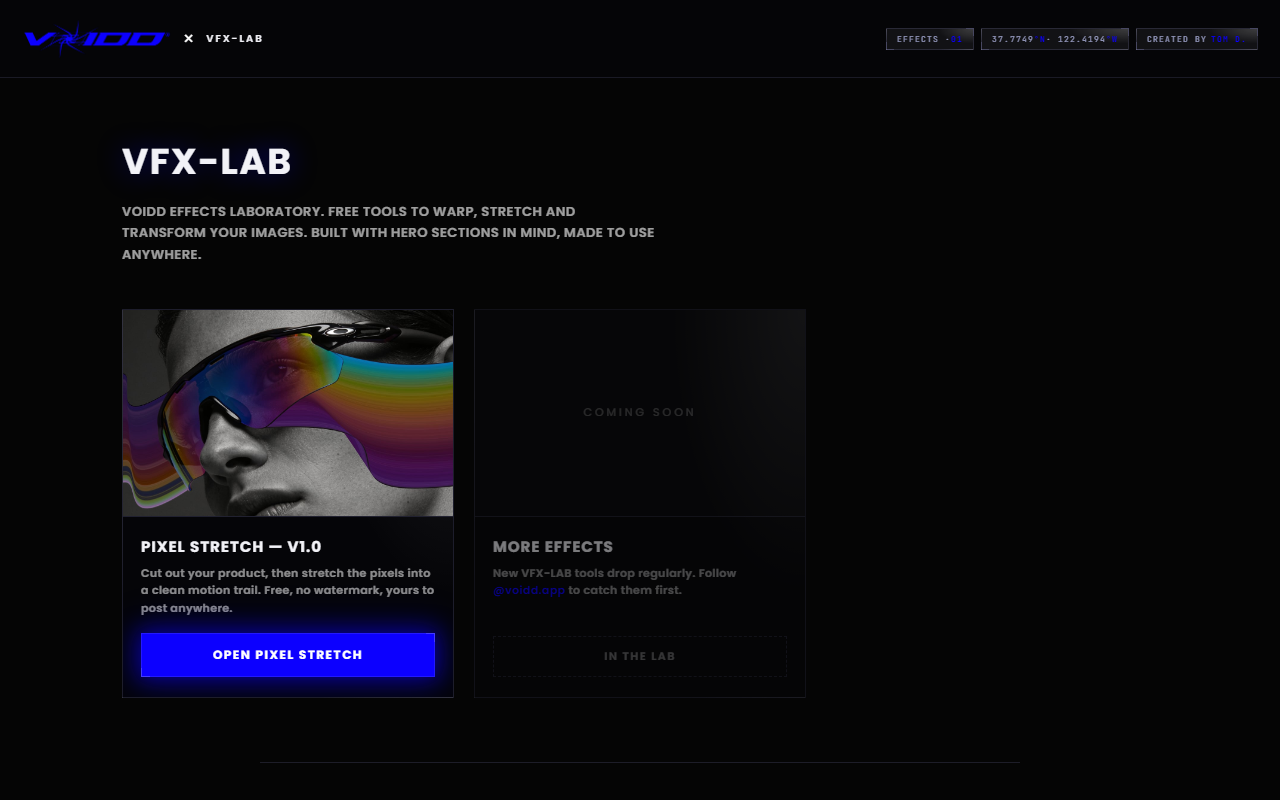
A free product image editor should do three things: run without an install, export at full resolution without a watermark, and handle the specific edits a product photo actually needs. VFX-LAB does all three in the browser, with no signup and no upload to a server.
That is the answer in one paragraph. The longer version below covers what "editing" means for a product photo specifically, which effects move the needle for a store, and where the usual free editors quietly fail you.
What is a free product image editor?
A product image editor is a tool built for the edits merchants make, not general photo retouching: cutting the product from its background, adding an effect that implies motion, fixing the composition, and exporting a clean file for a store or ad. Free, in the honest sense, means no watermark, no resolution cap, and no trial clock.
Generic editors treat a product photo like any other picture. That is the mismatch. You do not need skin smoothing or sky replacement for a cologne bottle. You need the product isolated, framed with intent, and given some energy, then out the door as a PNG your theme can use. A purpose-built tool collapses that into minutes.
The VFX-LAB tools were built by VOIDD, a Shopify section studio, as a genuinely free layer. The paid product is animated storefront sections, so the image tools have no reason to hold your export hostage. Everything processes locally in your browser. Your photos never leave your machine.
Which edits actually matter for a product photo?
Three edits carry most of the value: isolating the product from its background, adding implied motion so the shot reads as cinematic instead of catalog, and recomposing the crop so the product sits on deliberate proportions. Color and lighting tweaks help, but those three change whether a photo stops the scroll.
Think about where the image will live. In a feed or a collection grid, it competes with dozens of frames for a half-second of attention. Sharpening and saturation do not win that fight. Motion cues and off-axis framing do, because the eye is trained to read them as something happening.
There is a fourth edit worth naming: restraint. The most common failure in free-editor output is five effects stacked on one image. One hero effect per photo. That is the whole rule.
How do you add a motion trail to a product photo for free?
Open the free Pixel Stretch builder, drop in your photo, and let the built-in AI select the product in one click. Then drag a stretch layer in the direction opposite the implied movement. The smeared pixels read as speed while the product stays sharp. Export the full-resolution PNG.
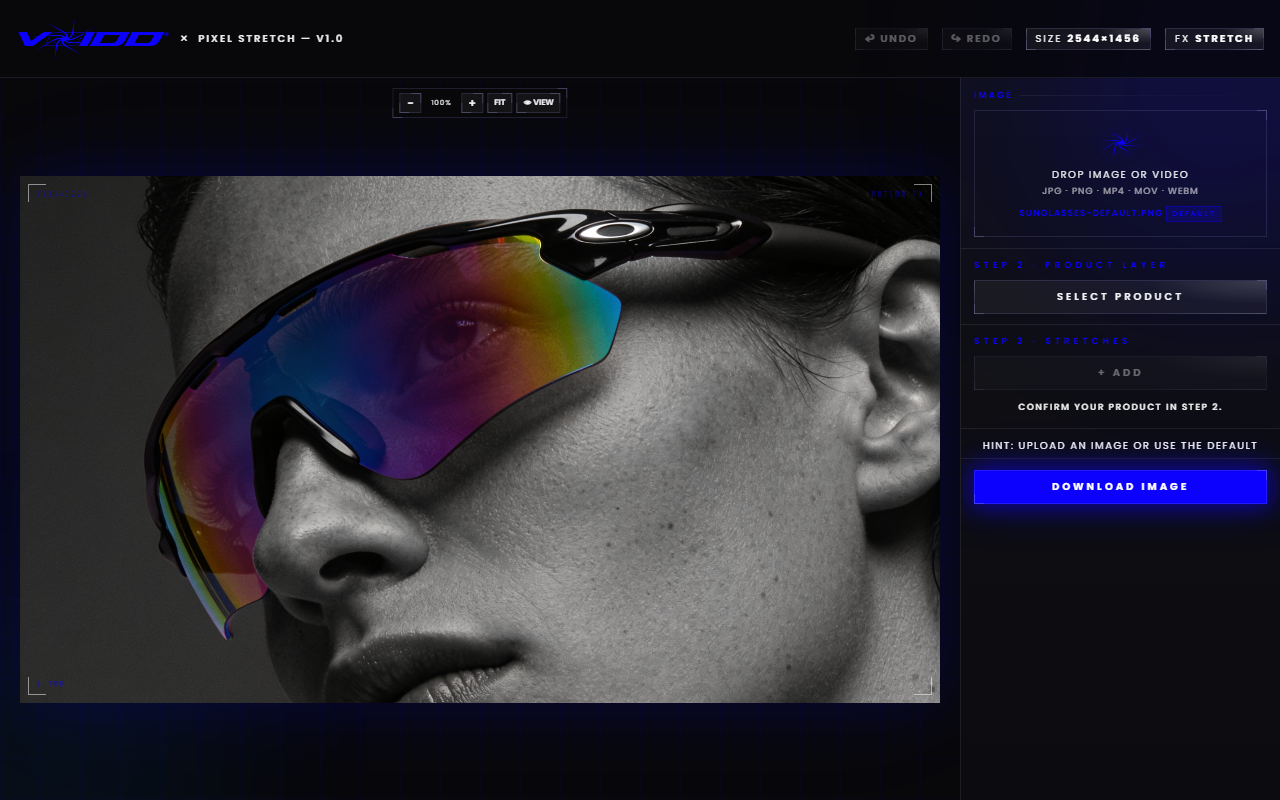
This is the single highest-return effect in product image editing, and it takes about two minutes. The visual logic borrows from long-exposure photography: a sharp subject with a directional streak reads as motion, full stop. Your brain has seen the pattern in thousands of images of sprinters and light trails, and it applies the same conclusion to a sneaker.
A few working rules from real product shots:
- Trail behind, never ahead. The streak trails the implied movement. A leading streak reads as a smudge.
- Length is speed. A trail about a third of the product's width reads as drift. Double it and the product is falling out of the sky.
- Protect the detail. For jewelry, watches, and anything sold on craftsmanship, keep trails short and away from the faces and clasps.
- Two angled trails suggest tumble. More organic than one straight streak, and still one effect.
Each stretch lives on its own layer, and only the active layer responds to input, so you can tune one trail without disturbing the product or the others.
How do you fix composition without guessing?
Use a proportional overlay instead of eyeballing the crop. The free Golden Ratio tool lays a fibonacci spiral and phi grid over your image so you can drag the crop until the product's focal point lands where a cinematographer would put it. Thirty seconds, zero cost, and the photo stops looking centered and dead.
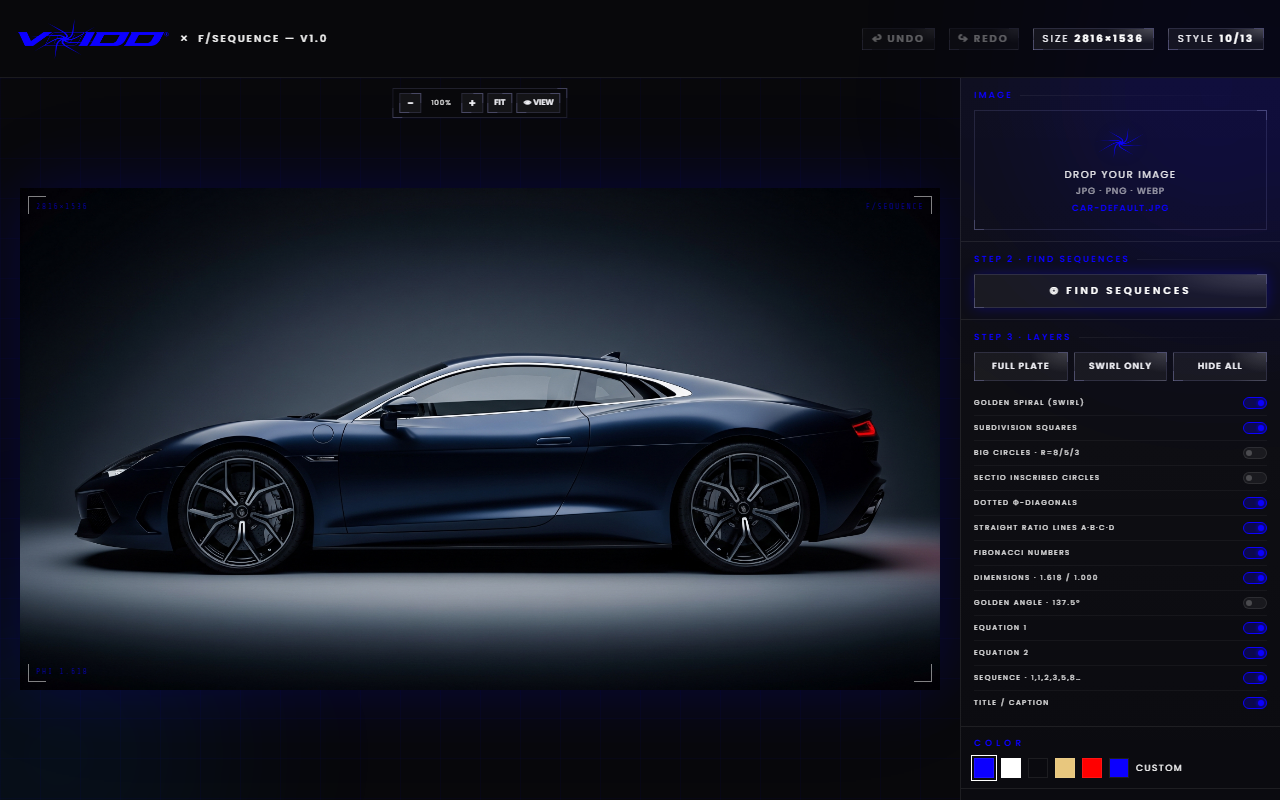
Composition is the edit most merchants skip because it does not feel like an effect. It is the effect. A motion trail on a dead-centered product is a catalog shot with a filter on it. The same trail flowing along a spiral into negative space is a poster.
The practical habit that makes this possible: shoot wider than you need. Composition is only free to fix later if the pixels exist around the product. Tight crops at capture time lock you out of the best version of the shot.
Why do most free product image editors fail merchants?
Because the export is where they charge you. The common patterns: a watermark stamped across the corner, a resolution cap until you subscribe, an account wall before download, or your image uploaded to someone's server for processing. A watermarked or soft product photo is unusable on a store, so the free tier is a demo in costume.
Run this checklist against any editor before you invest time in it:
- Watermark on export? Disqualifying for store use.
- Resolution capped? A 1000px ceiling ruins zoom views and retina displays.
- Account required to download? Friction now, marketing email forever.
- Server-side processing? Your unreleased product shots are now on someone else's infrastructure.
- Subscription nag mid-workflow? You will hit it on image nineteen of twenty.
The VFX-LAB tools pass all five: full-resolution PNG export, no watermark, no signup, and the editing runs locally in your browser. The reason is structural rather than charitable. VOIDD sells animated Shopify sections, so the free tools are the front door, not the product.
The full workflow, from phone photo to store-ready image
Here is the whole pipeline, and it fits inside ten minutes. Shoot the product near a window with the room lights off, wide margins around the subject, one dominant light source. Drop the photo into the Pixel Stretch builder, one-click select the product, place a single trail that tells a direction story. Then move to the Golden Ratio tool and drag the crop until the focal point sits on the spiral's eye, with the trail flowing into negative space.
Export. That file works as a hero image, an ad creative, or a collection thumbnail. Repeat the identical treatment across a product line and the set reads as a campaign instead of a pile of one-offs. Consistency is the cheapest brand signal available.
What happens after the image: the animated storefront
An edited image earns the click. What the shopper lands on decides the rest. The same studio behind these free editing tools builds animated Shopify hero sections where the motion is live on the page: the product floats in, the lighting moves, the scene reacts to the cursor. Browse the catalog from the VOIDD home page.
The handoff logic matters. Your stretched, deliberately framed still does its work in feeds and ads. If the store it points to opens on a static banner, the energy dies at the door. An animated hero continues the same film. Merchants install the app, drop a section into the theme editor, and pick their products. No code needed.
Treat the ad image and the landing hero as two shots from the same movie: same palette, same mood, same implied motion. Continuity converts.
FAQ
Is there a completely free product image editor with no watermark? Yes. The VFX-LAB free image effect tools export full-resolution PNGs with no watermark, no signup, and no trial period. The set includes a pixel-stretch motion trail builder and a golden-ratio composition tool, both built for product photos. For a tour of every editor in the set, see the free online VFX editor guide.
Do I need to install anything or create an account? No. The tools run entirely in your browser and the processing happens on your machine, not a server. Open the page, drop in a photo, edit, download. Nothing to install and nothing to sign up for.
Can a free editor really replace Photoshop for product photos? For the edits a store actually needs, yes. Motion trails, product selection, and composition take minutes in a single-purpose tool versus a week of learning layers and masks. Photoshop still wins for deep retouching, but most product photos never need it.
What image should I start with? A sharp photo with one dominant light source and generous margins around the product. The margins give you room to recompose on the golden ratio, and the simple lighting gives a motion trail contrast to streak across.
Can I get the same effects as live animation on my Shopify store? Yes. VOIDD builds animated SupaHero Sections for Shopify where the cinematic treatment runs live on the page instead of baked into a JPEG. Install the app, add the section in the theme editor, pick your products. Start at the VOIDD home page.